Fall Hummingbirds Digital Papers: A Guide to Quality Craft Results
You have likely stumbled upon a collection of digital assets that promises to bring the warmth of autumn and the delicate beauty of nature into your next creative project. Fall Hummingbirds Digital Papers is exactly that—a curated set designed for those who want professional-grade visuals without the hassle of physical storage or printing errors. However, simply downloading a file does not guarantee a successful outcome. Many creators rush into projects only to find their final products look pixelated, misaligned, or unprofessional because they overlooked critical details regarding resolution and file formats.
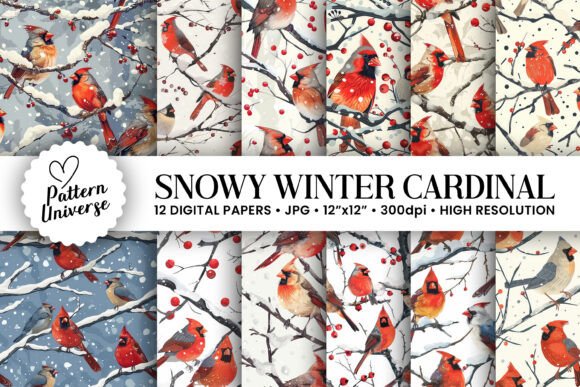
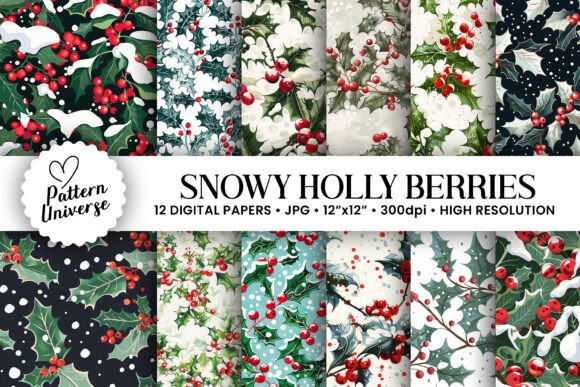
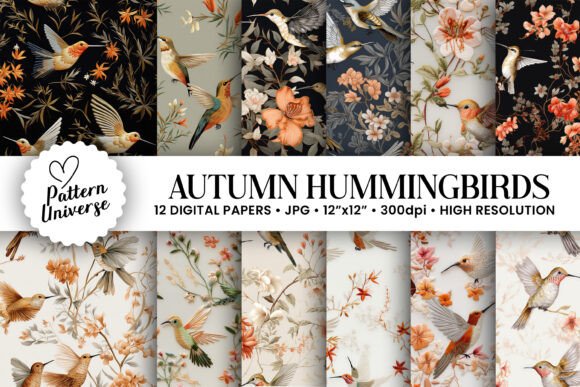
This collection offers 12 distinct digital papers featuring seamless patterns generated with artificial intelligence, specifically tailored for the fall season. While the imagery is stunning, the true value lies in how you utilize these files. Whether you are a small business owner creating custom gift wraps, a blogger designing greeting cards, or a hobbyist working on a scrapbook, understanding the technical specifications is the difference between a project that looks handmade and one that looks mass-produced.
Understanding the Technical Specifications
One of the most common mistakes beginners make is assuming all digital images are created equal. When evaluating Fall Hummingbirds Digital Papers, you must pay close attention to the resolution and dimensions provided. This specific package includes high-resolution files at 300dpi, which is the industry standard for print quality. If you attempt to use a lower-resolution image (such as 72dpi) for a physical product like a tumbler wrap or a greeting card, the result will be blurry and jagged when printed.
The files are sized at 3600 x 3600 pixels, equivalent to 12″ x 12″. This dimension is crucial for crafters using software like Cricut Design Space, Silhouette Studio, or Adobe Photoshop. A 12″ x 12″ canvas allows you to scale designs up or down significantly without losing clarity. For instance, if you need a background for a website, you can shrink it easily. If you need a large banner for a fall festival, you can expand it while maintaining sharpness. Ignoring these specs often leads to wasted time re-designing projects from scratch because the source material was insufficient.
The Importance of Seamless Patterns
The term "seamless" in this context is not just a marketing buzzword; it is a functional requirement for many applications. A seamless pattern repeats perfectly without visible edges or breaks. When wrapping a cylindrical object like a tumbler, a non-seamless image will show a harsh vertical line where the paper meets, ruining the aesthetic. These AI-generated patterns ensure that the transition from one edge of the design to the other is fluid and continuous.
Many users mistakenly try to stitch together multiple smaller images to create a background. This approach almost always results in visible grid lines or mismatched colors. By utilizing pre-made seamless files, you eliminate the guesswork of alignment. You can simply drag, drop, and apply the texture to your design, knowing that the pattern will repeat indefinitely across any surface area.
Avoiding Common Pitfalls in Digital Crafting
Even with high-quality assets, the execution phase is where many projects fail. One frequent error involves the color profile. Digital screens display colors in RGB (Red, Green, Blue), while printers use CMYK (Cyan, Magenta, Yellow, Key/Black). While these digital papers are optimized for both, significant discrepancies can occur if your printer settings are incorrect. Always check your print preview before sending a job to the commercial printer. What looks vibrant orange on your monitor might appear muddy brown on paper if the color management settings are ignored.
Another oversight relates to file organization. The package comes as a single zip file containing 12 unique papers. It is tempting to extract them directly onto your desktop and start clicking through folders during a live project. This disorganized workflow can lead to selecting the wrong file or overwriting important work. A better approach is to create a dedicated folder on your computer named "Fall Hummingbirds Project" immediately after download. Extract all 12 files into this subfolder. This simple step ensures that your assets are always in the same location, saving you minutes of searching time every time you open your design software.
Scalability and Aspect Ratio Issues
When applying these patterns to different mediums, aspect ratio becomes a major factor. A 12″ x 12″ square is perfect for scrapbooking pages and greeting cards, but what about a rectangular invitation or a wide website header? If you stretch a square image to fit a wide rectangle without adjusting the layout, the hummingbirds and leaves will appear distorted and unnatural. Instead of stretching, consider tiling the image or cropping the central focus of the pattern to maintain the integrity of the AI-generated art.
For entrepreneurs selling physical goods, this distortion can lead to customer returns and negative reviews. A tumbler wrap that stretches the bird's beak or warps the floral elements looks cheap and unprofessional. Always test your design at 100% scale before committing to production. Use the 3600-pixel width to verify that fine details remain crisp even when scaled up for larger formats.
Maximizing Value Across Different Projects
The versatility of Fall Hummingbirds Digital Papers extends far beyond simple scrapbooking. Because the files are high-resolution and seamless, they are ideal for branding materials. Small business owners can use these textures as backgrounds for social media posts, email signatures, or packaging inserts. The autumn theme resonates strongly with seasonal marketing campaigns, allowing brands to connect emotionally with customers during the fall months.
Educators and freelancers can also leverage these assets for teaching materials or client deliverables. Imagine creating a printable worksheet with a subtle hummingbird pattern in the background, or designing a wedding invitation suite with a cohesive fall theme. The key is to balance the visual weight of the pattern. If the background is too busy, it may interfere with text readability. In such cases, overlay the digital paper with a semi-transparent solid color or adjust the opacity in your editing software to ensure the content remains legible.
What to Check Before You Buy or Download
Before integrating any digital asset into a commercial project, always verify the licensing terms. While this specific collection is ready for personal and potentially commercial use depending on the provider's agreement, assumptions can be costly. Ensure you understand the rights associated with the AI-generated content. Some platforms restrict the resale of raw digital files, meaning you cannot sell the JPEGs themselves but can sell physical products made using them. Understanding this distinction protects your business from legal issues.
Additionally, check your hardware capabilities. High-resolution 300dpi files require more processing power than low-res web graphics. If you are working on an older computer or tablet, opening multiple 3600-pixel layers simultaneously might cause lag. To avoid frustration, save your work frequently and consider flattening layers once you are satisfied with the composition. This keeps your workflow smooth and prevents software crashes that could cost you hours of productivity.
Ultimately, the success of your craft project depends on the foundation you build. By choosing Fall Hummingbirds Digital Papers with their specific high-resolution and seamless attributes, you are setting yourself up for professional results. Avoid the trap of settling for low-quality images or rushing the setup process. Take the time to organize your files, respect the color profiles, and test your layouts. With these practical steps, you can transform a simple digital download into a stunning, market-ready product that captures the essence of autumn perfectly.